survivalism.pl
WordPress as the editorial panel, the public site as static files
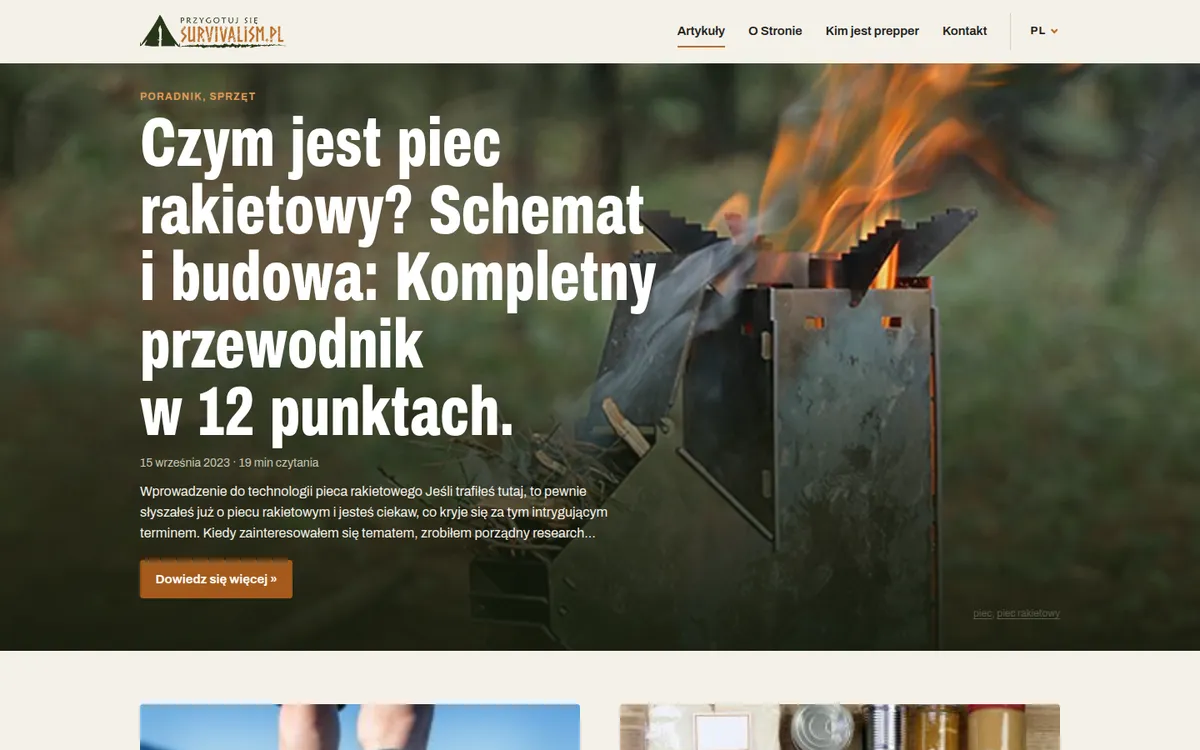
- Publication
- survivalism.pl
- Industry
- Blog, how-to publication
- Scope
- Baseline measurement, migration plan, new front end, editorial panel with a Publish button, migration of URLs, comments and forms, deployment
- Stack
- Next.js (static export) · WordPress REST API · TypeScript · GitHub Actions · PHP (forms) · Cloudflare Turnstile
- Website
- https://survivalism.pl
- Result
- The server answers a post in 0.06 s, 2.42 s before the rebuild
A survival and outdoor guides publication with a few dozen posts in two languages, run on WordPress since 2020. I rebuilt it so the editor keeps working in the WordPress they know, while readers get prebuilt HTML files with no WordPress in between.
Starting point: "it can't get faster"
Before the change, PageSpeed Insights scored the site 97-100. On paper there was nothing to fix. Measured from a regular reader's side it looked different: Google's test hit the server cache, visitors almost never did. In a day-long series of measurements the cache worked once in 24 tries, and the median time to first byte of a post was 2.42 s.
On top of that, 28 active plugins on the public site and close to 300 releases to install in a year, around 70 of them with a security fix. Every delayed update left a door open.
What I changed
- The public site is static files generated from the WordPress content. There is no WordPress and no database on it, so plugins and their vulnerabilities have nothing to attack.
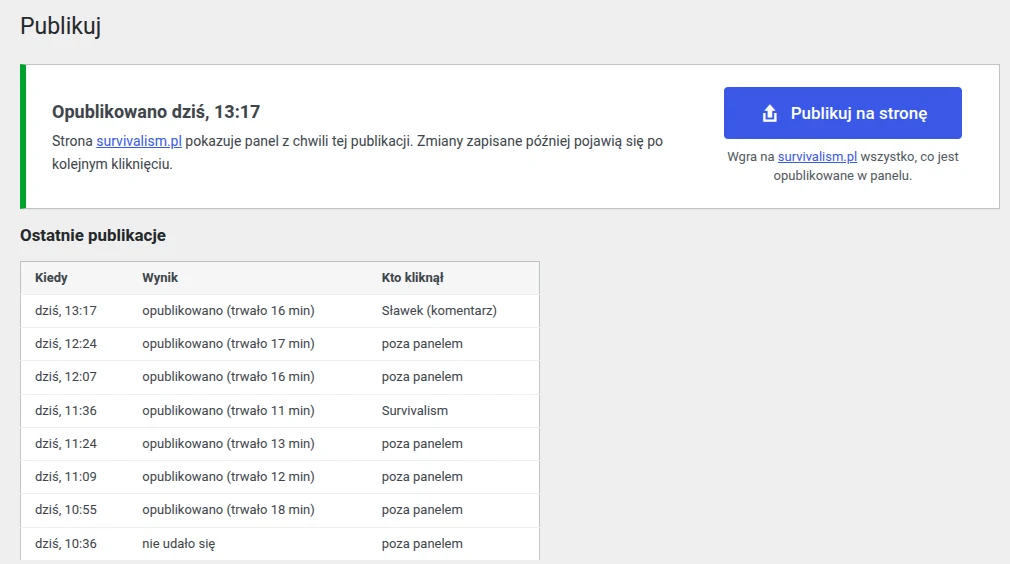
- WordPress stays as the editorial panel on a separate address, behind a server password and a login. The editor writes as before and clicks "Publish". About fifteen minutes later the change is live.
- Before every publish, an automated check goes through the built site: links, images, comments, redirects. If anything is off, publishing stops and the previous version stays live.
- Reader comments arrive in the panel as pending. Approving a comment triggers the publish on its own, no commands involved.
- The contact and comment forms run as small scripts protected by Cloudflare Turnstile, loaded only when someone starts filling in the form.
No lost URLs
The site lives on search traffic and partner posts, so every URL, redirect and link had to come through unchanged. After the switch the live check passed 188 of 188 URLs and the Google Search Console URL list 235 of 235, without a single difference. Partner posts kept their content and link attributes 1:1.
Result
- Server response for a post: now 0.06 s, 2.42 s (median) before the rebuild, for every visitor.
- A post on mobile: 224 KiB and 9 requests, LCP 1.65 s (1.80 s before), PageSpeed 99.
- Plugins: 0 on the public site, 11 in the editorial panel instead of 28 in production.
- Cost: the same shared hosting as before, builds fit in the free GitHub Actions allowance.
Where the speed comes from: before, every reader's visit started WordPress, which assembled the page from the database with 28 plugins loaded. The cache was meant to skip that, but it hit once in 24 visits. Now the page is assembled once, at publish time, and the server only hands over a ready file.
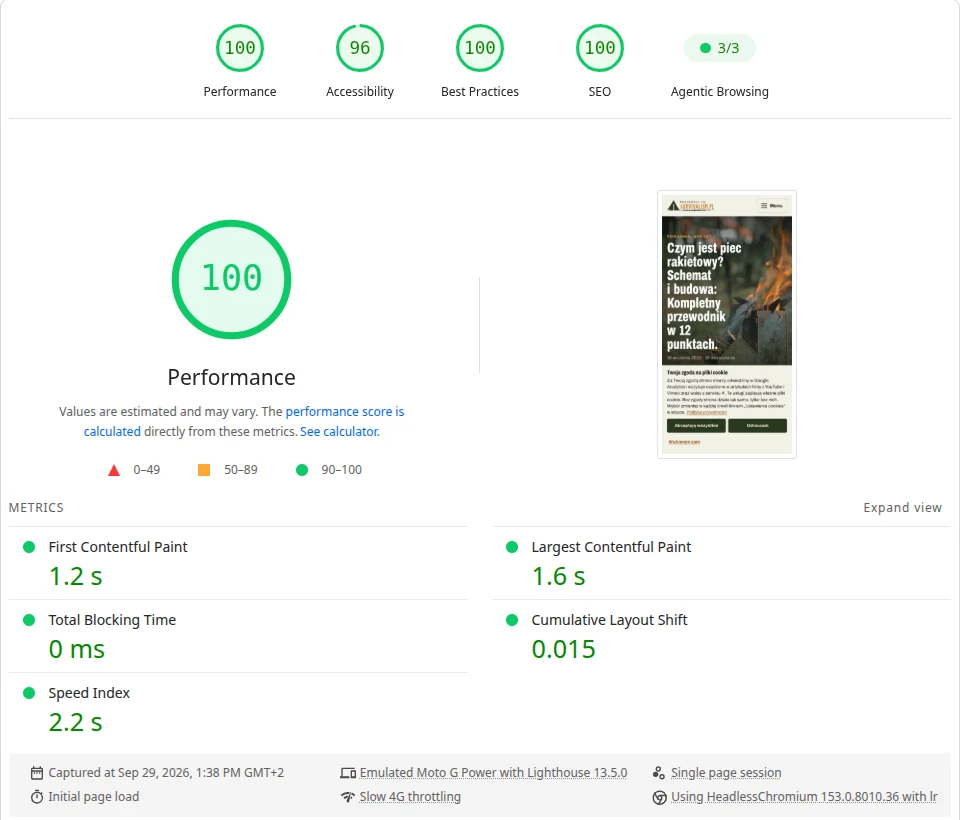
Honestly, about what is not better yet: the home page on mobile is heavier than before (a bigger header image), and that is the next fix. I am measuring search results for 30 days after the switch and will add them here at the end of October 2026.
When this approach fits
Static files work where the content is the same for every visitor: a blog, a how-to publication, a company site. In a shop the cart, customer account and stock have to stay dynamic, so the gain does not carry over one to one. A shop built headless from the ground up is described in the Suavius Atelier case study.